Don't know what to do next ...
Before you can buy a tip we need to
find what tip is right for your device. This page uses a four step process to a find tip that works with your device. Start by using the drop down box under
Step 1 and 2. Here you will need to find the make and model of your device. The make and model is often found on the back of your device. In the case of many cell phones you may need to remove the battery, here you will find a sticker which will include the make and model.
In
Step 3 you need to answer the question 'what am I using this tip for?' ... if you own or buying one of our charger product lines such as a car charger, wall charger, Emergency Battery Pack charger than select "POWER Tip". If use the accessory to sync data then select "DATA Tip".
Lastly select "Find My Tip" in
Step 4 and the webpage will jump you the tip you need. At this new page you can add then add the tip to your cart. Once in the cart click the logo in the top left corner to continue shopping for other accessories or click checkout to complete your order.
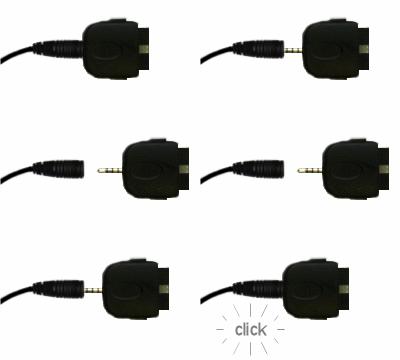
TipExchange Technology allows you to upgrade Gomadic brand accessories in turn saving you money *and* saving the environment!
Additional benefits include:
- Future Proofing: Protects investment in mobile device accessories. When user changes or upgrades to new mobile device, inexpensive cable tips provides instant conversion of all Gomadic TipExchange-enabled accessories.
- Portability: Multiple cable tips can be used on TipExchange accessories to support multiple mobile device platforms and to enhance portability (e.g. users can have a single car charger with different tips for mobile phone, PDA and mp3 player!)
- Accessory Availability: No longer will users need to wait for their favorite accessory to be available. When new mobile devices are released to market, a single cable tip will spawn an instant comprehensive line of accessories including USB sync cables, car chargers, wall chargers, battery back-up packs, powered PDA mounts and more!
TipExchange technology was created by Gomadic and can be found only with Gomadic brand products.
More about Step 3 'POWER' vs 'DATA' Tip ...
You might be wondering why we ask the question "Tip Type" in step 3. This is because some devices required a different pinout configuration for data functionality vs just charging functionality. In these rare occasions that required different modes (data mode vs power mode) you must use the right tip depending on the situation. This is why we ask what type of accessory you are using the tip with, USB Data Cable (transfer data) or Charger Power product line (ie car charger, wall charger, AA battery extender, charging station, etc)
Let me explain in a little more detail on what is going on with the different modes mentioned above. First it is important to know that most of the time the one tip will serve both functions but in some cases the manufacture of the device designed a two mode system. One tip is for USB Data mode with our USB cable product line. This tip is designed to connect to only the USB port of a PC. While connected it will both sync and charger the mobile device. The second tip is the charge only tip. This one is required when using the USB cable in conjunction with a USB Car or USB Wall charger. So in short if you use the USB data mode tip with a charger line product (such as a wall or car charger) than the device will never go into charge mode, this is because the tip put it in data mode and it will continue to look for data before charging. In this case you would have to use the charge mode tip to force the device to go into charge state. Again, most devices do not require the two mode tip system.
Looking for a list of tips ...
We have a
complete list of tips here. Keep in mind many tips look the same but are internally wired differently as mentioned above. We recommend using the contact us link at the bottom of this webpage if you cannot find your device, we would be happy to find the right tip for you.